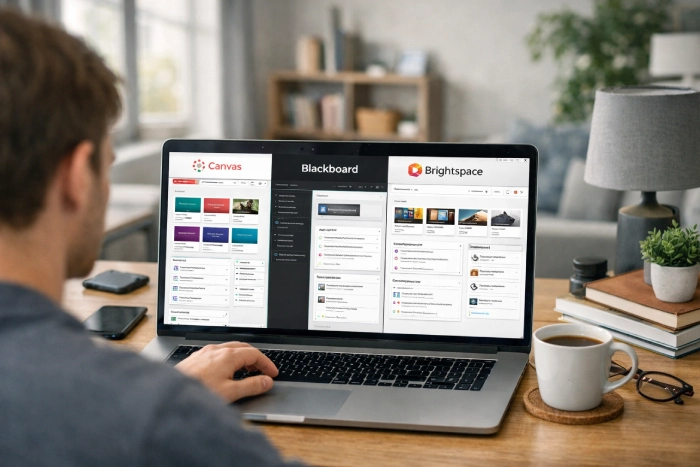
Canvas rates highest with students, but Canvas vs Blackboard never gives you a choice, you institution picks the system. In a Canvas Vs Blackboard comparison, the best LMS for students matters less than knowing your assignment system. The actual question is which platform performs well, and how to work efficiently in yours.
This comparison covers Canvas, Blackboard, and Brightspace, from a student’s view, including deadlines, mobile apps, and course organization, and how to prepare for online classes using these platforms.
You Don’t Pick It — But It Still Matters
You may not choose LMS, but it shapes your week. It affects deadline finding, app usefulness, notifications, and the gap between opening an assignment and submitting it. In a learning management system comparison, Canvas currently leads US higher-education enrollment. On Edtech’s 2024 year-end data, Canvas was reported at about 50%, Brightspace at 20%, Blackboard at 12%, and Moodle at 9% of enrollment.
This market is also shifting, moving away from Moodle and Blackboard towards Canvas and Brightspace. This learning management system comparison matters because you could change systems mid-degree. If your university is migrating, expect a transition term when both platforms may be partly live. Your online learning platform can change without you changing schools.
Side-by-Side Comparison
Students interact with their LMS every day, so small differences in navigation, deadlines, notifications, mobile access, and accessibility can matter.
| Feature | Canvas | Blackboard | Brightspace |
| Interface | Card-based dashboard; generally cleanest | Ultra is modernized; Original remains dated | Clean, list-driven; strong accessibility focus |
| Mobile App | Generally strongest of the three | Improved under Ultra; historically weaker | Functional and improving |
| Finding Deadlines | Global calendar and To Do across courses | Calendar and activity stream; setup varies | Calendar plus Work To Do feed |
| Notifications | Granular per-course controls | Configurable, but less granular | Configurable |
| Content Release | Instructors can drip content | Supported | Strong release conditions can unlock work by progress |
| Accessibility | Good | Good | Widely regarded as strongest |
| Quiz Experience | Well-established and straightforward | Deep assessment feature set | Solid, with adaptive options |
The trade-offs for students are rather straightforward when comparing Canvas vs Blackboard, Brightspace vs Canvas, and Blackboard Ultra. Brightspace provides students with great structure and accessibility, Blackboard provides sophisticated evaluation capabilities, and Canvas typically seems the simplest to use. However, no row ensures a simple path. The content that displays, the locations of links, the names of the modules, and the accuracy of deadline entry are all under the instructor’s control.
It is possible for a course to overlook helpful platform features. In other words, the table provides a beginning point rather than a guarantee. Even two courses on the same LMS may feel very different from one another.
Canvas: What Students Notice
Canvas is the most user-friendly online learning platform for students because the dashboard displays courses as cards and the global calendar and To Do view may include deadlines from several classes. When five modules are competing for attention, which is really helpful. Tasks don’t require a laptop because the student app allows you to check grades, read announcements, review coursework, and turn in assignments. Once configured, notification settings have adequate granularity to cut down on noise.
The organization of the course is the biggest source of annoyance; some instructors place content in Files, while a badly designed Modules site might become a lengthy scroll. In US higher education, Canvas is extensively used; according to Edutechnica’s spring 2025 research, it leads the market and continues to grow. Although course creation might be challenging, it is still the best LMS for students.
Blackboard: What Students Notice
The most crucial information for students is that “Blackboard” can refer to two distinct learning experiences: Learn how to use the older Original view or Blackboard Ultra. Guidance for one would not be appropriate for the other because of their differences in appearance and behavior. Prior to following the steps, check your course view. With more user-friendly navigation, adaptable layouts, and easier access to material, grades, communications, and assessments, Blackboard Ultra provides a modernized experience.
Original makes use of deeper and more traditional workflows; while it feels outdated and more difficult to understand, it can be effective for organized, test-heavy courses. Additionally, different instructors have different course layouts, and although it has improved, the mobile experience has consistently lagged behind Canvas. Although Blackboard Ultra has enhanced the overall student experience, the mobile experience has consistently been inferior to Canvas. So, when students compare Canvas vs Blackboard, these differences should be properly understood. Still, Ultra remains at the center of Blackboard’s current development.
Brightspace: What Students Notice
Brightspace is notable for its features that assist students in managing their assignments, simple material organization, and accessibility. In terms of accessibility, it is frequently thot to be the best of the three, which might be important if you use a screen reader or other assistive equipment. Upcoming activities are likewise consolidated in its Work To Do stream, and material may be arranged according to student progress using adaptive and conditional release methods. Accessibility and organized learning are two important ways in which students can analyze Brightspace vs Canvas.
The primary annoyance in Brightspace is that material may be locked until you finish an earlier task due to release constraints. This may be limiting for students who would rather work ahead. Additionally, in Brightspace vs Canvas comparison, Brightspace offers fewer student-made online tutorials and videos and a smaller third-party tool ecosystem than Canvas. More organizations are switching from Moodle and Blackboard to Brightspace. Its increasing uptake is worth keeping an eye on in a more comprehensive learning management system comparison.
What Actually Makes an LMS Easier?
The experience is not limited to any online learning platform itself. As instructor setup frequently matters more than the LMS, a well-structured Blackboard course may be simpler to use than a disorganized Canvas one.
Simple features like a single location to view deadlines for all courses, dependable alerts, a helpful mobile app, transparent grades, and an evident submission confirmation are what are really important to find best LMS for students.
Administrators typically place a higher value on platform features like analytics dashboards, AI course-building tools, and intricate interconnections than do regular users. Actually, the best LMS platform is not the one with lengthy features, but it’s the one that removes the friction from routine tasks. Students can analyze the most common mistakes students make in online degree programs, and find the best LMS match for them.
Getting Efficient in Whichever One You Have
Although you are often unable to select your university’s LMS, you can manage it more easily if you find the best online learning platform for you. Here is how you can get efficient in whichever one you have:
- Set notifications for announcements and deadlines within the first week, then turn off any alerts that aren’t needed.
- Instead of checking each course individually, utilize the platform’s calendar or To Do view as your primary deadline list.
- Sync it with the calendar on your phone if it’s compatible.
- Even if you would rather turn in assignments from a laptop, get the mobile app for prompt notifications.
- Take a screenshot of each submission confirmation. If something goes wrong, it provides you with helpful proof in a matter of seconds. If you see a student guide to online course deadlines, you will understand the importance of this point.
- To report errors early, review your gradebook once a week. For additional guidance, see why students fall behind in online classes.
Frequently Asked Questions
Which LMS is easiest for students?
In general, Canvas is the best LMS for students, particularly when it comes to deadlines, navigation, and regular mobile chores.
Can I choose my university’s LMS?
Generally speaking, no. Students often adjust to the configuration and course regulations of the system chosen by their university.
What is the difference between Blackboard Ultra and Original?
The original Blackboard interface makes use of Blackboard’s traditional appearance, navigation, established course procedures, and capabilities; Blackboard Ultra is the more recent version.
Do these platforms track how long I spend on a page?
They record activity and access information; what teachers view is determined by your institution’s privacy notice and settings.
Conclusion + CTA
Your instructor setup matters more than Canvas vs Blackboard, and notifications matter more than either. Explore our guides for Canvas and Blackboard for the best LMS practice tips.